ELITE TIER — SETUP GUIDE v6.5
Elite Member Setup · 6 MNQ Configs + BTC

ELITE SETUP GUIDE

Six battle-tested MNQ futures configurations — PRIME30, EXT-PRIME30, GOLDEN30, PRIME15, EXT-PRIME15, GOLDEN15. Plus an Elite-exclusive 🪙 BTC CRYPTO 24/7 config. All pre-load on your Elite chart. Switch with one dropdown.

PRIME30
1.86
Profit Factor
13/13
Profitable Months
BTC CRYPTO
+208%
11-Month Backtest
9/9
Profitable Months
EDGE TRUTH
Live Beats Backtest
2.58%
BTC Max Drawdown
⚡ WHY OUR NUMBERS LOOK DIFFERENT
We don't sell backtests.
We sell what we trade.
Every algo seller leads with a million-dollar TradingView screenshot. We tested ours in real money and discovered TradingView's bar magnifier inflates tight-stop strategies by up to 5×. So we rebuilt around what survives a real broker — wider stops, cleaner sessions, fewer trades.

The result: settings that look modest on TradingView's backtester but consistently beat that backtest in live trading.
TradingView Backtest
PF 1.58
GOLDEN15 · 69.8% WR
Live Real-Money Account
PF 3.13
GOLDEN15 · 88.7% WR
🔓
ELITE-EXCLUSIVE: PRE-LOADED DEFAULTS
Your Elite script ships with all six configs ready to go. Add it to your chart, hit save, you're done. Want to switch from PRIME30 to EXT-PRIME30? Change one dropdown — every other setting is pre-loaded. Plus Elite unlocks the CRYPTO 24/7 session for Bitcoin and higher position sizing that Basic can't run.
1
Pick Your Style
THE SIX ELITE CONFIGS

Six MNQ futures configs below — same core engine, same risk settings. The only differences are timeframe and session window. Pick by lifestyle, not by greed: more profit on EXT-PRIME15 doesn't mean more take-home in live trading. Elite members also get an Elite-exclusive 24/7 BTC CRYPTO config — see Section 5 for details.

🛡️ PRIME30
30-min · PRIME (9AM–12PM ET)
Backtest Net (1yr)$55,665
Profit Factor1.86
Win Rate71.6%
Max Drawdown2.08%
Profitable Months13/13 ✓
Trades / Year1,347
Trades / Day~5
Best for: Prop firm evals. Risk-averse traders. Anyone who wants the cleanest possible profile.
Why pick this: Highest PF in the system. Lowest DD. Perfect 13-of-13 monthly record. Worst month was still +$686.
🥇 GOLDEN30
30-min · GOLDEN (10AM–1PM ET)
Backtest Net (1yr)$29,146
Profit Factor1.43
Win Rate70.6%
Max Drawdown2.45%
Profitable Months12/13
Trades / Year1,232
Trades / Day~5
Best for: Traders who want the midday golden window on a calmer 30-min chart — the same 10AM–1PM window we trade live on GOLDEN15, just with fewer, slower bars.
Why pick this: Tightest session of the 30-min set. Lower trade count, one down month. The 30-min cousin of our live-validated GOLDEN15.
⚖️ EXT-PRIME30
30-min · EXTENDED PRIME (9AM–1PM ET)
Backtest Net (1yr)$63,565
Profit Factor1.75
Win Rate71.2%
Max Drawdown2.39%
Profitable Months13/13 ✓
Trades / Year1,702
Trades / Day~7
Best for: Personal accounts. Traders who want maximum return without sacrificing the safety profile.
Why pick this: Highest backtest net profit. Same 13-of-13 monthly record. Adds 1 extra hour to capture the lunch-window edge.
🔥 PRIME15
15-min · PRIME (9AM–12PM ET)
Backtest Net (1yr)$77,670
Profit Factor1.83
Win Rate69.6%
Max Drawdown2.97%
Profitable Months11/11 ✓
Trades / Year2,149
Trades / Day~9
Best for: Active traders who want the tighter 9AM–12PM morning window on a faster 15-min chart — more signal flow than the 30-min set without trading into lunch.
Why pick this: Highest PF of the 15-min configs and a clean 11-of-11 record. Tight morning-only PRIME window on the faster timeframe.
⚡ EXT-PRIME15
15-min · EXTENDED PRIME (9AM–1PM ET)
Backtest Net (1yr)$89,250
Profit Factor1.72
Win Rate68.8%
Max Drawdown3.03%
Profitable Months10/11
Trades / Year2,755
Trades / Day~11
Best for: Active traders. People who like watching markets and want maximum signal flow.
Why pick this: Highest backtest net of the futures set. More signals, more action. Trade-off: higher variance and one down month.
🏆 GOLDEN15
15-min · GOLDEN (10AM–1PM ET)
Live Profit Factor3.13
Live Win Rate88.7%
Window Trades (10am–1pm)62
5-Day Net+$2,582
Backtest PF1.58
Session10AM–1PM ET
Best for: Anyone who wants the verified edge. The narrow golden window we actually trade live. Pre-loaded in your Settings Vault.
Why pick this: Live-validated in the golden window — 88.7% WR and PF 3.13 over 62 trades. Live beats backtest 2×.
⚠️
Counter-intuitive: more backtest net ≠ more take-home
The 15-min configs (PRIME15 / EXT-PRIME15) show the biggest backtest net, but they also fire the MOST trades and carry the HIGHEST drawdown — and every extra trade adds real commission and slippage that a backtest understates. Trading more isn't trading better. The 30-min configs win on the cleanest risk profile: highest PF, lowest DD, and the perfect 13-of-13 monthly record.
⚠️
Running more than one config? Read this first
You can run multiple configs at once — even on the same account — as long as they're the SAME timeframe. All the 30-min configs (PRIME30 / EXT-PRIME30 / GOLDEN30) fire the same signals in the same direction, just over different session windows, so they never conflict — same for the 15-min configs. The one risk is mixing timeframes across separate accounts under your own name: a 30-min and a 15-min config can hold opposite MNQ positions at the same moment — long on one account, short on the other — which Topstep, Apex & most prop firms flag as hedging and can freeze or fail the accounts. To run a 30-min and a 15-min at the same time, separate them: a different prop firm per config, each under a different trader (e.g. a family member's account), or one at a time. Same-timeframe configs together = always safe.

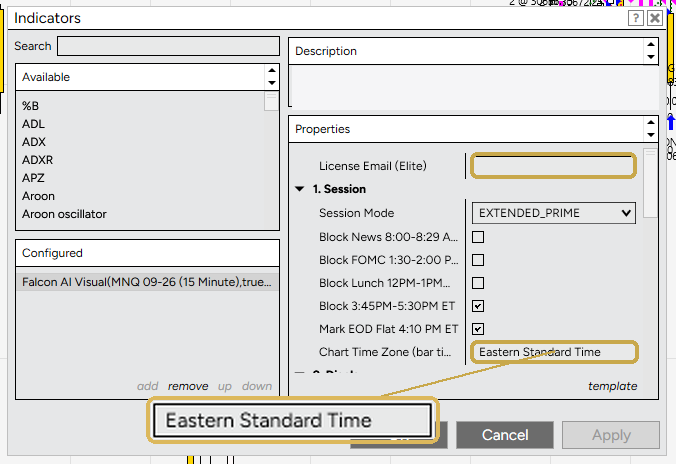
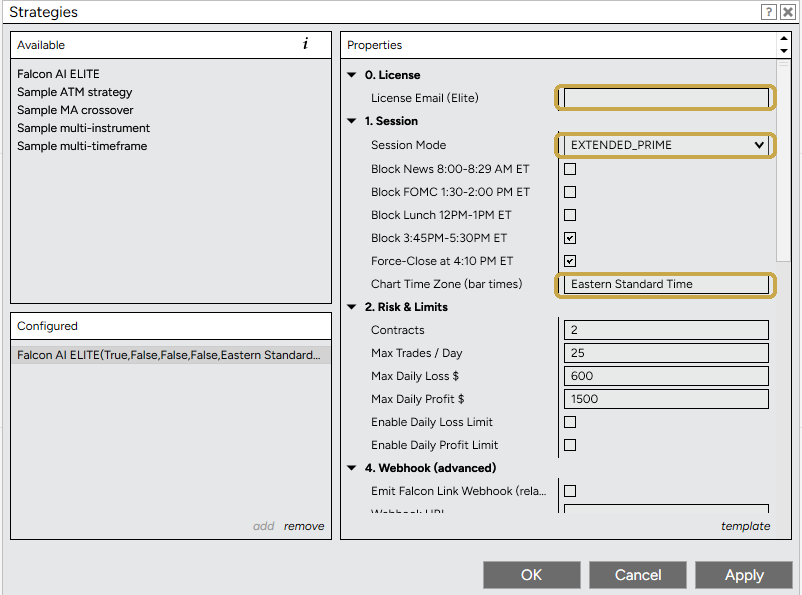
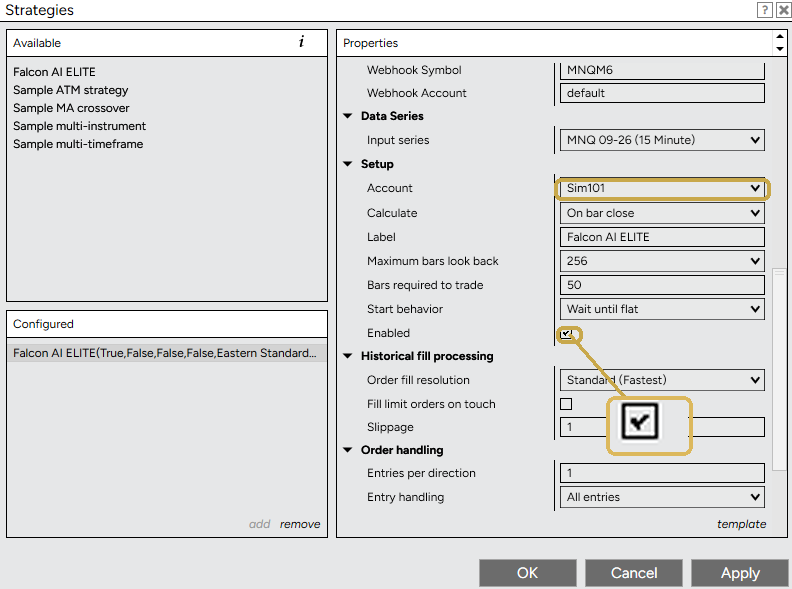
Two ways to run Falcon AI Elite — pick your platform:

2
Getting Started
ADD FALCON AI ELITE TO TRADINGVIEW

Four steps. Under 5 minutes. The defaults are pre-loaded — you just pick your style.

1

Open TradingView

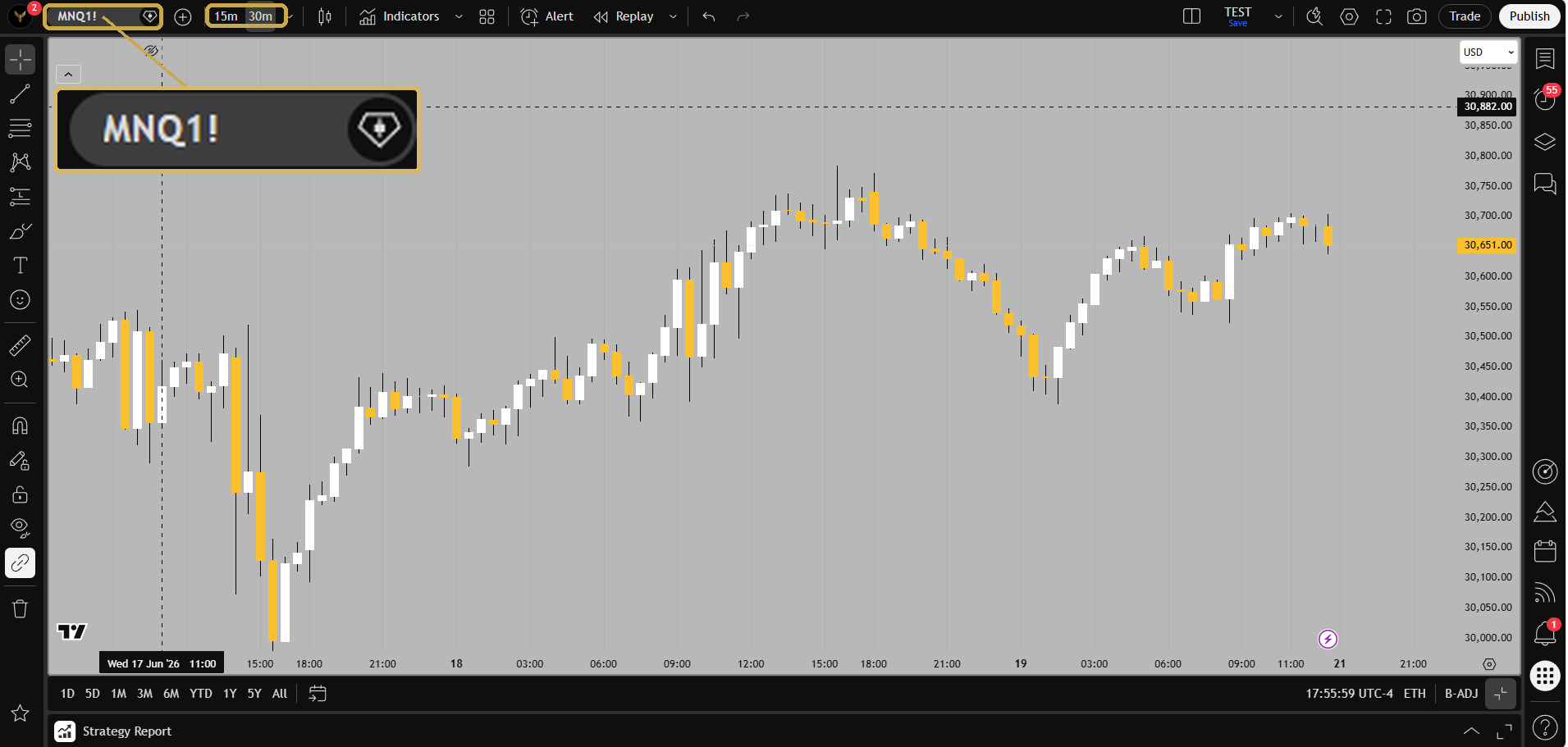
Go to tradingview.com. Set symbol to CME_MINI:MNQ1!. Set timeframe to 30-min (for PRIME30, EXT-PRIME30 or GOLDEN30) or 15-min (for PRIME15, EXT-PRIME15 or GOLDEN15). New to TradingView? Get $15 off →

2

Add the Elite script

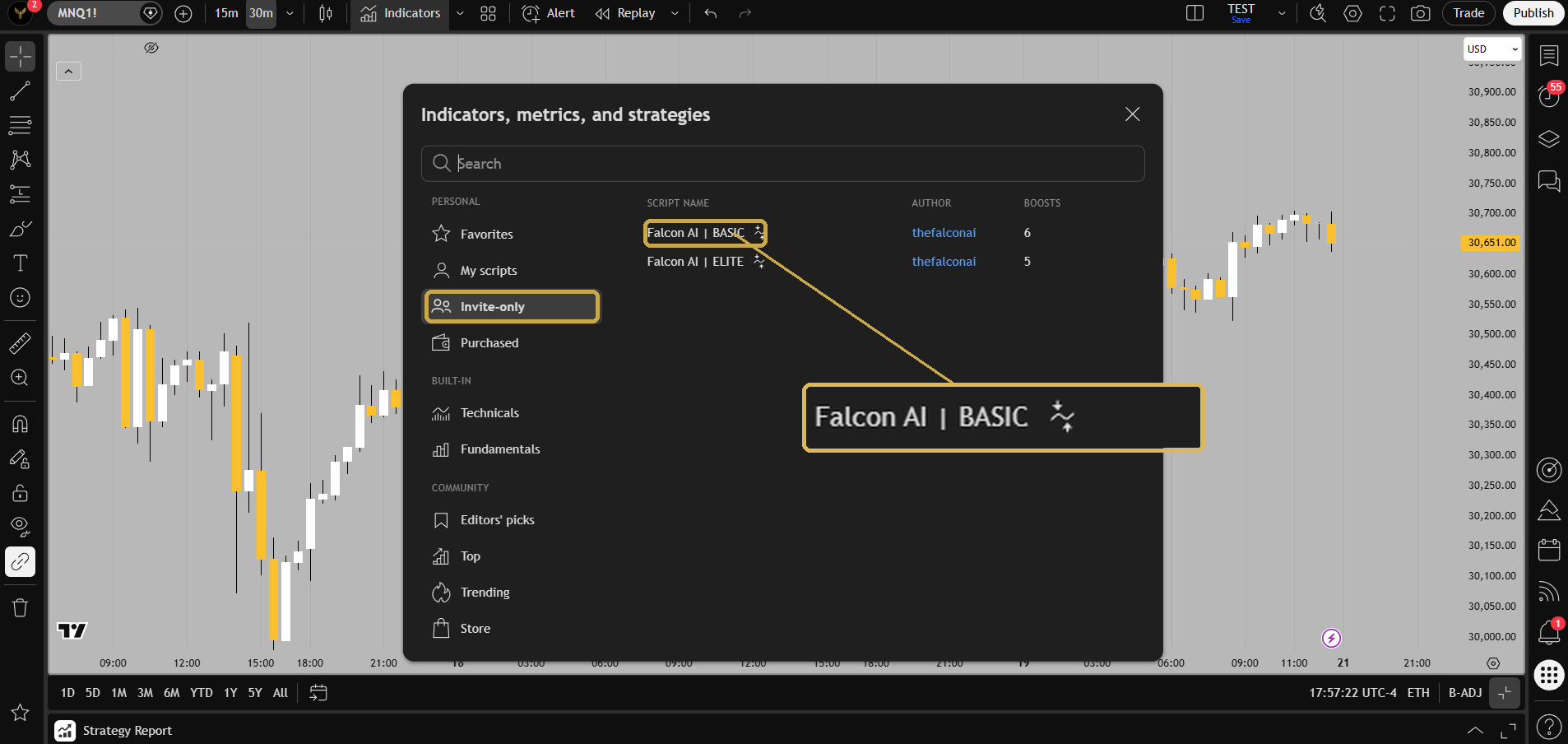
Click IndicatorsInvite-Only Scripts → click Falcon AI — ELITE → Add to Chart. The dashboard should appear in the top-right showing "FALCON AI — ELITE v6.5".

3

Pick your session

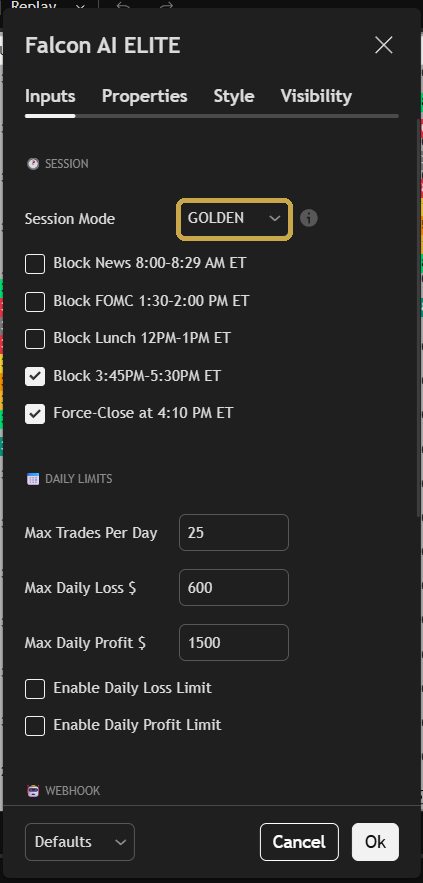
Open ⚙️ settings → 🕐 Session Mode → choose PRIME (PRIME30 on a 30-min chart, or PRIME15 on a 15-min chart), EXTENDED_PRIME (EXT-PRIME30 or EXT-PRIME15), GOLDEN (GOLDEN30 on a 30-min chart, or the live-validated GOLDEN15 on a 15-min chart — the 10AM–1PM window), or CRYPTO (for BTC/ETH). The session is set by the dropdown and the timeframe by your chart, so the same Session Mode maps to either the 30-min or 15-min config depending on your chart. All risk settings auto-load. Hit OK.

4

Connect your webhook and trade

See Section 4 for broker setup. Manual trading also works — Falcon AI fires alerts during your selected window.

3
Pre-Loaded Settings (Reference Only)
YOUR ELITE DEFAULTS — LIVE VALIDATED

These settings come pre-loaded in your Elite script and are identical across all six configs — only timeframe and session change. Listed for reference. You don't need to enter anything manually.

⚡ SHARED CORE SETTINGS · LIVE VALIDATED
Same risk math across all 6 configs · only TF + session change
SymbolCME_MINI:MNQ1!
All engine settings✅ Pre-loaded & locked — nothing to enter
Force-Close 4:10PMON (auto-bypassed in CRYPTO)
Contracts (Properties)2 (MNQ) · 1 (BTC)
Why our config beats the backtest in real life
The live config uses a wider stop, a wider take-profit, and a higher confluence threshold than a naive backtest — fewer but cleaner setups, with room to survive real-broker slippage and tick noise. The exact values are baked into your script. Same edge — structured to survive a live broker.
4
Trade Execution
CONNECTING TO YOUR BROKER

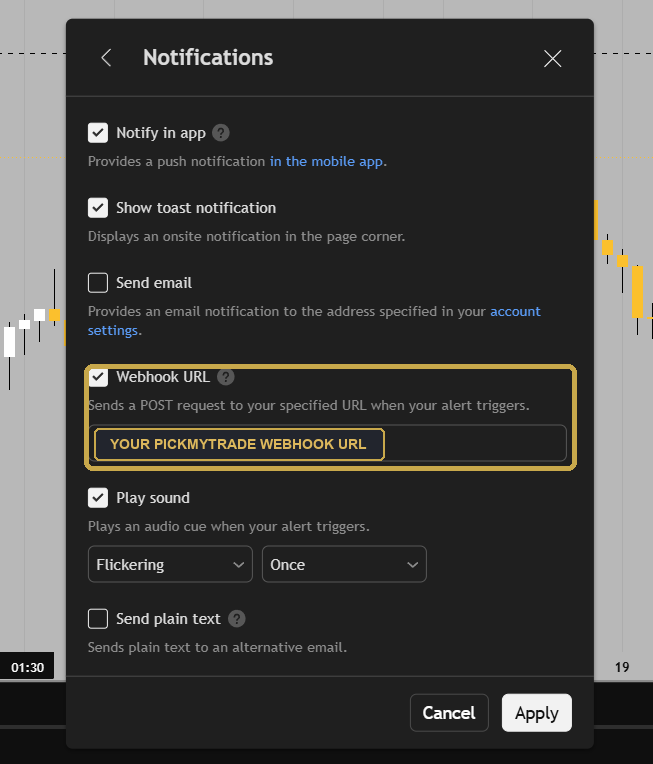
Falcon AI fires signals in TradingView. You need a webhook provider to route those signals to your broker.

🦅
FALCON AI
signal fires
📊
TRADINGVIEW
webhook alert
🔗
WEBHOOK
provider
💼
YOUR BROKER
trade placed
1

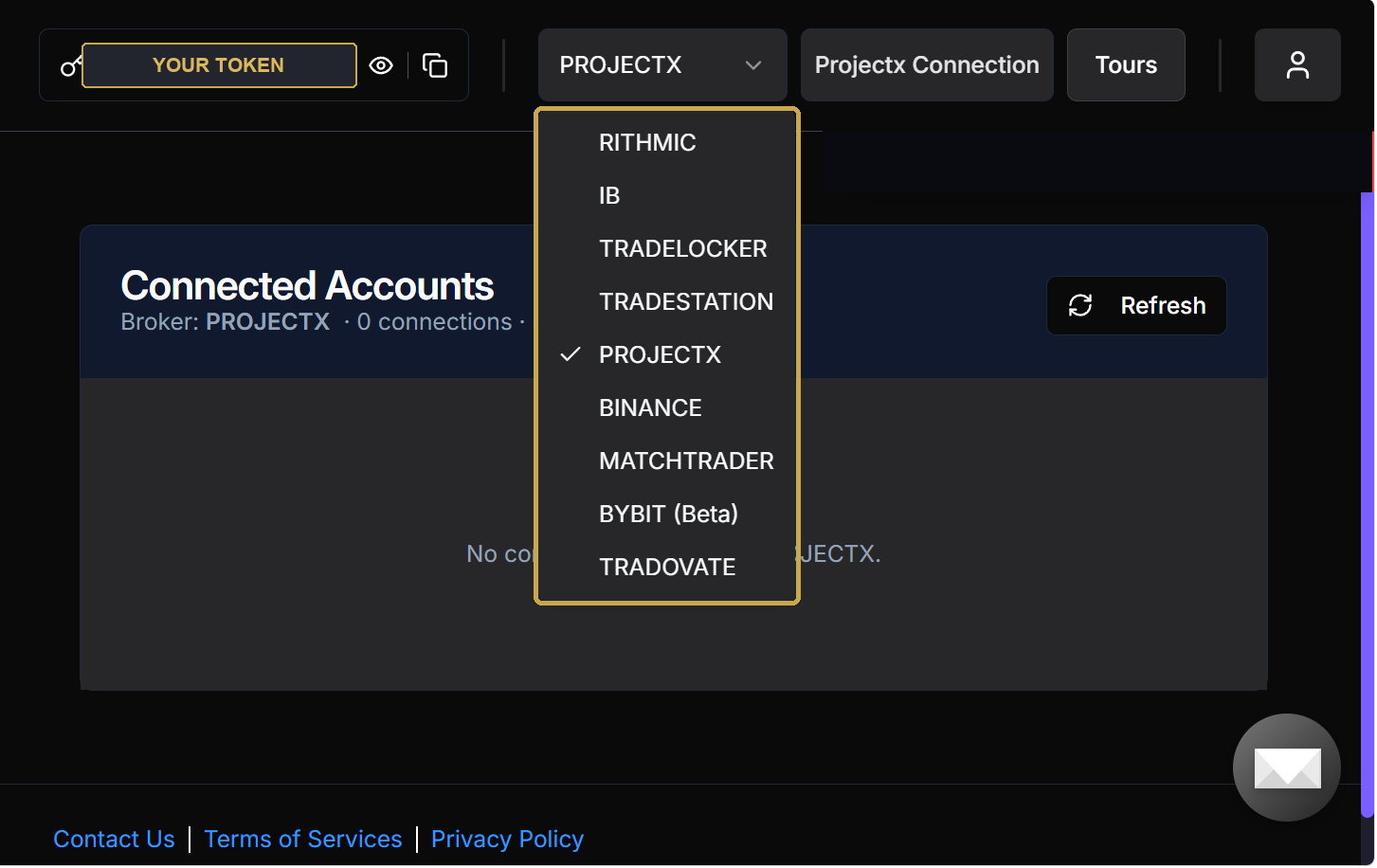
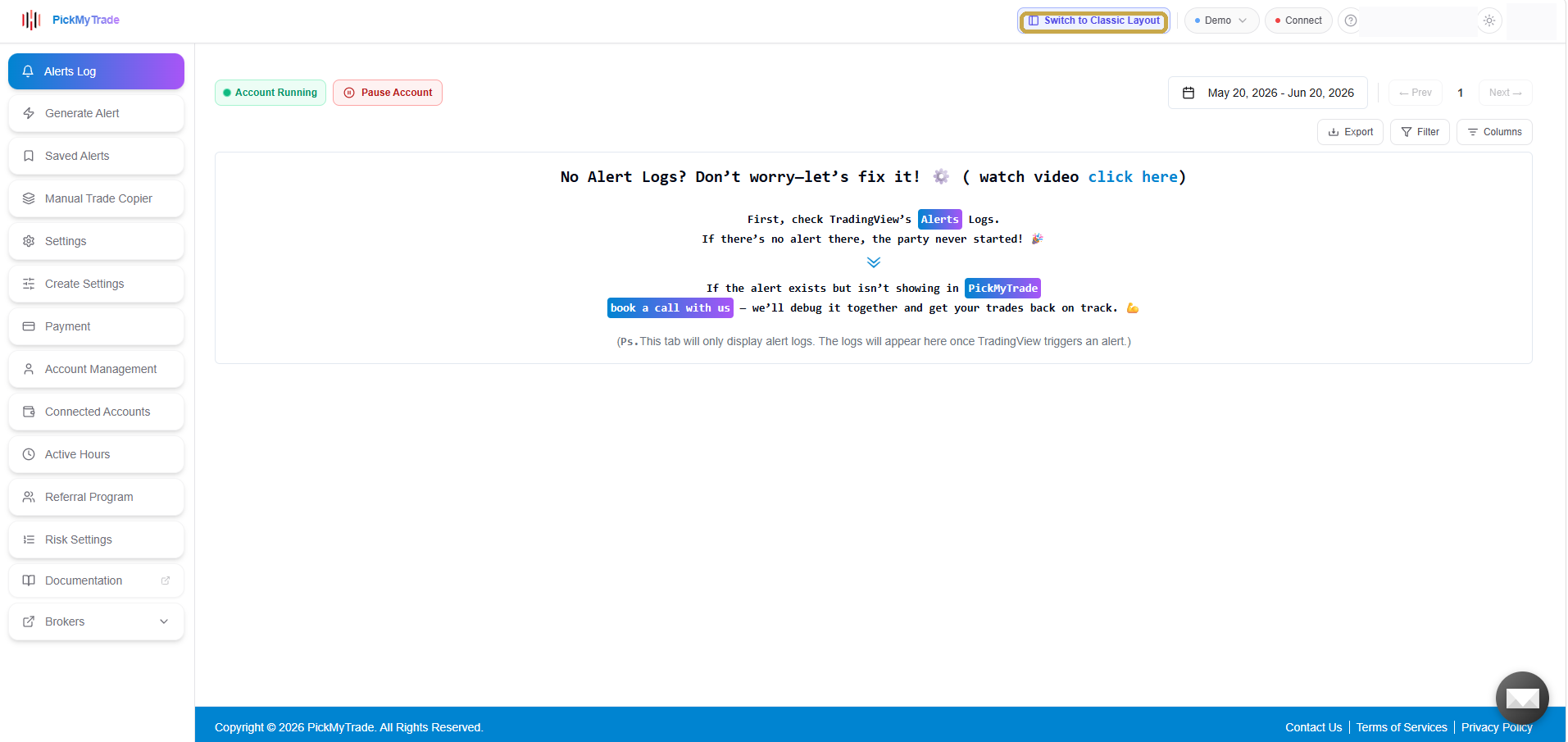
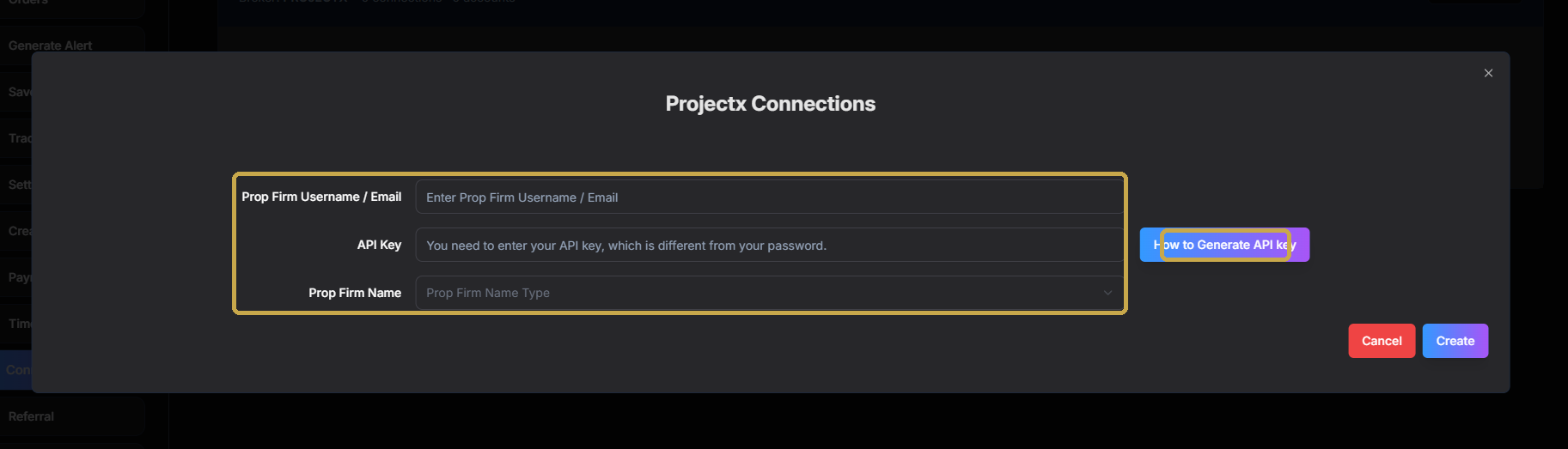
Sign up with PickMyTrade (or use your own webhook)

Most members use PickMyTrade ($39–$79/mo). Connects to NinjaTrader, Tradovate, TopStep, MyFundedFutures, TradeDay. Falcon AI alert JSON is pre-formatted.

2

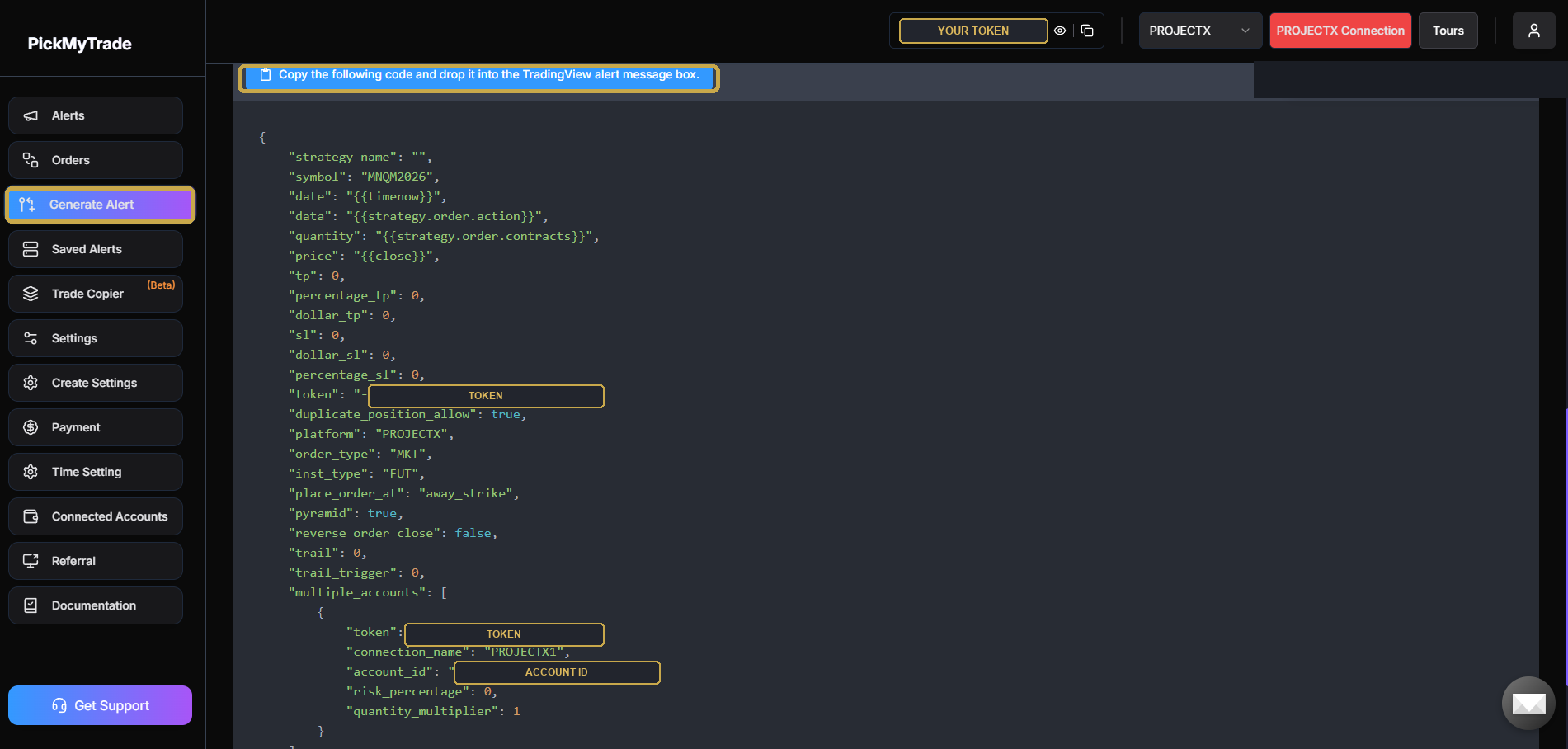
Get your webhook URL

PickMyTrade: New Strategy → set symbol (e.g. MNQM6) → set quantity → copy webhook URL.

3

Enter details in Falcon AI

⚙️ settings → 🤖 Webhook → enter Symbol, Account ID, and Qty.

4

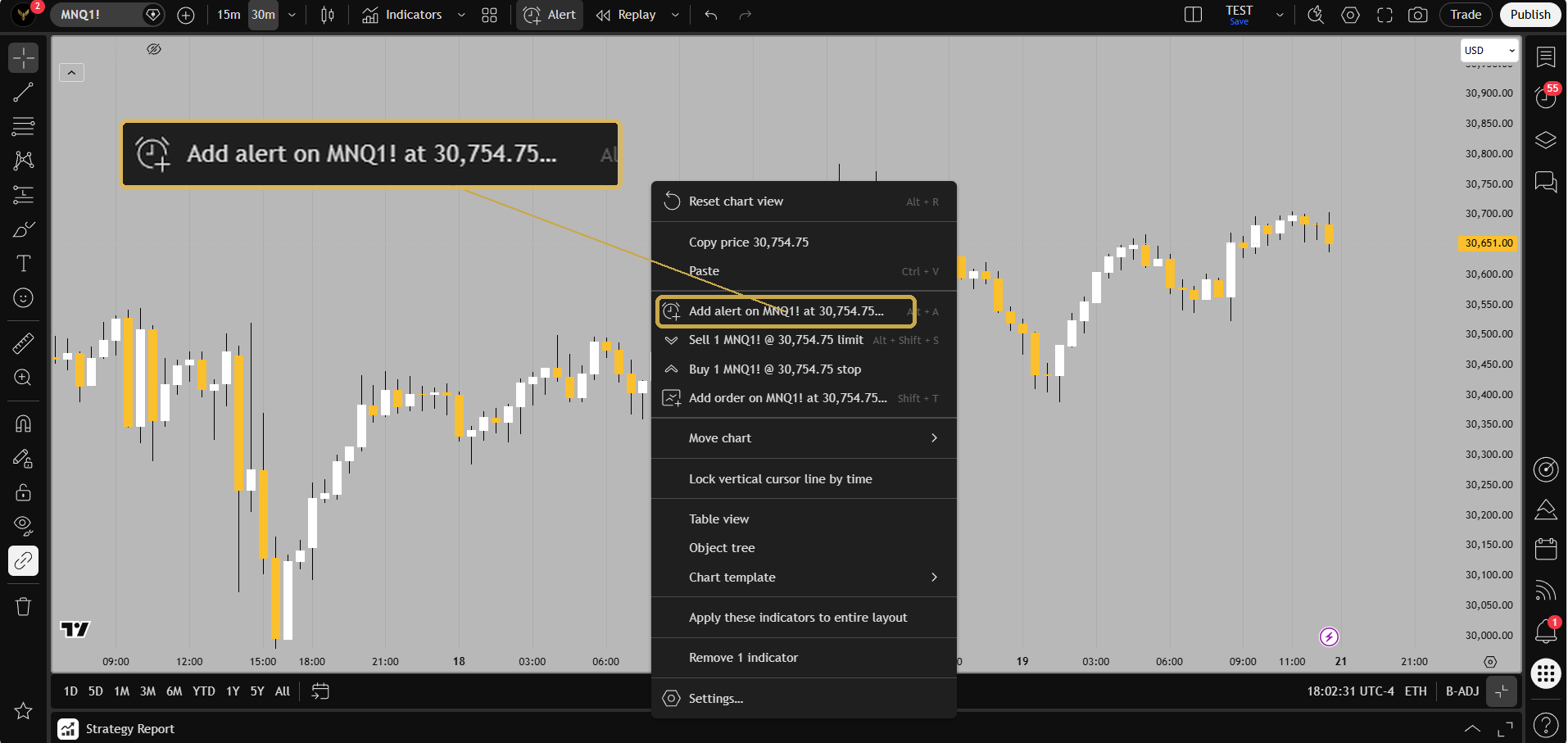
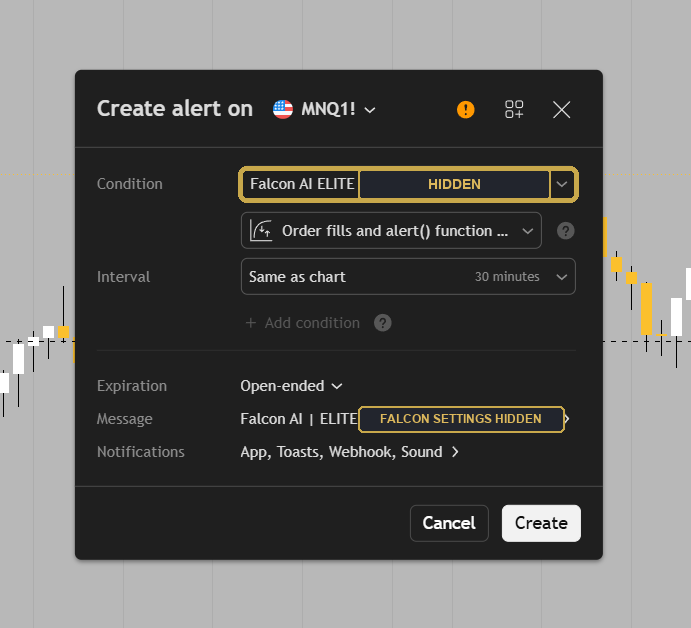
Create the TradingView alert

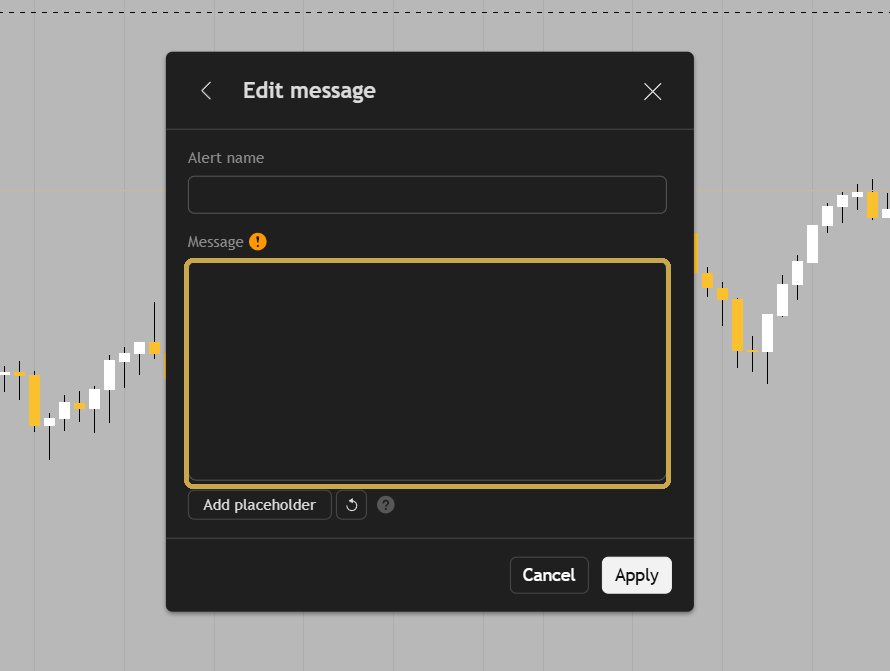
Right-click chart → Add alert → Condition: Falcon AI — ELITEalert() function calls only → paste webhook URL → expiry: Open-ended → Create.

5

Test in paper mode for at least one day

Confirm alerts fire and fills land at expected prices before going live with real money.

🏆
Supported Prop Firms
Auto-execution via webhook: TopStep · MyFundedFutures · TradeDay · The Funded Trader · Apex Trader Funding. Take Profit Trader: automate only via the native NinjaTrader add-on (a local NinjaScript strategy on your own chart) — not through a webhook/PickMyTrade router, which is the third-party copy-trading it bans. Falcon AI signals work on every firm manually. Prop-firm automation rules change often — always verify your firm's current Terms of Service before automating (Apex's funded-account rules are especially strict).
5
Elite-Exclusive · 24/7 Markets
🪙 BITCOIN CRYPTO CONFIG

An Elite-exclusive config on top of the 6 MNQ configs. Trade Bitcoin (and any other crypto) 24/7 with the same core engine, on the KRAKEN:BTCUSD spot chart. BTC backtest produced +$207,587 net profit (208% return) over 11 months with 9/9 profitable months and just 2.58% max drawdown — backtest only, not yet live-validated. Basic members cannot run crypto — script is hard-locked to MNQ.

🪙 CRYPTO 24/7 — BITCOIN
30-min · BTC/USD (Kraken) · CRYPTO session (no time gating)
Backtest Net (11mo)$207,587
Return on Capital+208%
Profit Factor1.59
Win Rate64.9%
Max Drawdown2.58%
Profitable Months9/9 ✓
Total Trades5,050
Avg Month (full)~$28,844
Best for: Elite members who want exposure to 24/7 crypto markets alongside MNQ. Bitcoin trades day and night, weekends included. No EOD force-flat. Diversifies away from futures session windows entirely.

The 7 full calendar months below (+$201,910) are the bulk of the 11-month backtest window; the remaining partial months at each end bring the full run to the +$207,587 / 9-of-9 profitable months headline above. Backtest only — not yet live-validated.

📅 BTC MONTHLY BREAKDOWN · NOV 2025 – MAY 2026 (7 full months of the 11-month run)
Nov 2025
+$33,174
Dec 2025
+$30,730
Jan 2026
+$33,118
Feb 2026 ⭐
+$45,959
Mar 2026
+$28,797
Apr 2026
+$17,807
May 2026
+$12,325
7-MO TOTAL
+$201,910
🪙 BTC CRYPTO — Settings (Pre-Loaded with One Change)
Identical risk math · Only contract count changes
SymbolKRAKEN:BTCUSD
Timeframe30-min
Session ModeCRYPTO
All engine settings✅ Pre-loaded & locked — identical to MNQ
Contracts (Properties tab)1 ← change from 2
Force-Close 4:10PMauto-bypassed in CRYPTO mode
1

Open a Bitcoin chart in TradingView

Use KRAKEN:BTCUSD — the spot pair our backtest ran on, and accessible everywhere (no Binance geo-restrictions). Timeframe: 30-min.

2

Add Falcon AI Elite, switch Session Mode to CRYPTO

⚙️ settings → 🕐 SessionSession Mode = CRYPTO. The dashboard will show "CRYPTO 24/7" in orange.

3

Change contract size to 1

Properties tab → change Order size from 2 to 1. Critical for BTC — 2 BTC contracts exceeds the default $100K capital and breaks the Strategy Tester display.

4

Connect to a crypto-compatible webhook provider

Bybit, OKX, Kraken, or any exchange supporting TradingView webhook automation. Make sure your account is set to One-Way position mode and your API has trading permissions enabled.

💡
CRYPTO mode differences vs futures
No 4:10 PM force-flat — positions hold across days · Weekend trading enabled · No session time gating · No news/FOMC blocks · All 12 confluence factors still scored. Only time-based filters are bypassed.
🏦
Choosing your crypto exchange
Falcon AI Elite works with any exchange that supports TradingView webhook automation — you route the trades yourself via your webhook provider. Look for: One-Way position mode, under 0.06% taker fee, tight BTC spreads, and API rate limits above 100 req/min. Always test in demo for 7+ days before going live.
⚠️
BTC numbers are backtest only — no live validation yet
Unlike MNQ (which has 184 real trades validated), the BTC config has not yet been validated on a live account. The 208% backtest return is impressive but apply a heavy real-world haircut and trade demo first. Crypto markets have higher spread variance than futures.
6
Setting Realistic Expectations
WHAT TO EXPECT IN LIVE TRADING

This is the most important section in the guide. Read it before going live.

📊
TradingView Backtest ≠ Reality
Do NOT judge Falcon AI by the TradingView Strategy Tester. We've validated that TV's bar magnifier under-represents wider-stop configs by ~50%. Our backtests show modest numbers because we're not tuning for the backtester — we're tuning for your broker account. The only test that matters is your live fills.
What live trading actually looked like (verified)
Sample week on our personal NinjaTrader account ($900 funded, real money): $2,582 in 5 trading days with 88.7% WR and PF 3.13 across 62 trades. Same GOLDEN15 config backtested at PF 1.58 — live beats backtest ~2×. Apply your own 20–30% real-world haircut for spread variance and execution differences.
💡
Losing days happen even at 88% WR
Average loser is larger than average winner. You'll lose on individual days. The edge resolves in your favor only over weeks and months. Don't judge by daily P&L — judge by the monthly chart.
7
Priority Access
SUPPORT & ELITE DISCORD

Elite Discord

Private members-only space. Live signals, strategy discussion, and direct team access. Join at discord.gg/6fKYpmr4f

Priority Email Support

Email support@thefalconai.com with [ELITE] in subject. Priority response — hours, not days.

JOIN THE ELITE ROOM

Your private Elite Discord is where you get live trade discussion, priority support, and direct access to the Falcon AI team.

JOIN ELITE DISCORD →